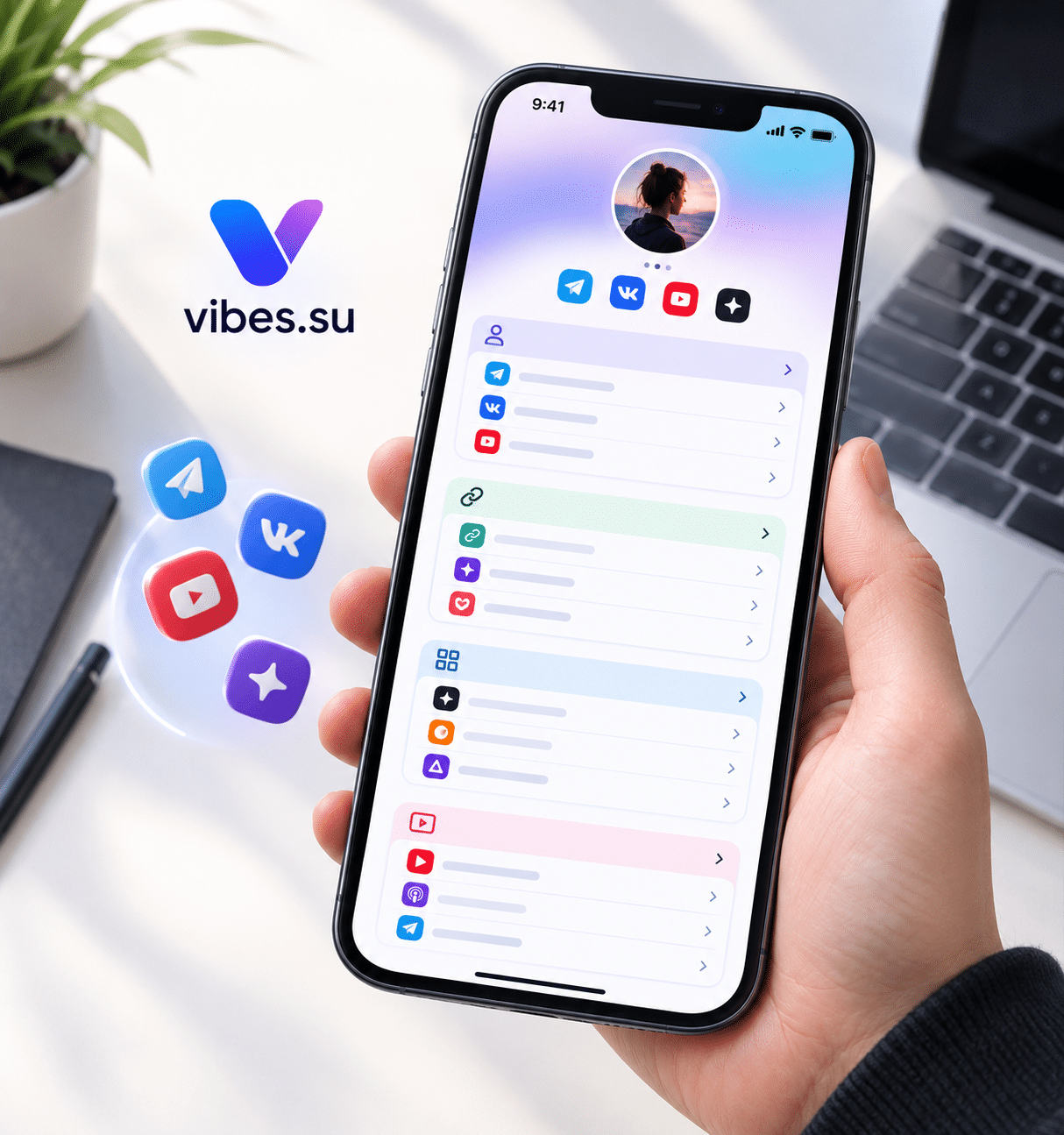
Why a single link is not enough anymore
A few years ago, a single link in a profile was enough. You had a website, and that was the place people went. Today, most people have several channels: a website, a YouTube channel, a Telegram channel, an email newsletter, a store, a booking page, a support chat. Each channel serves a different purpose, and each audience may prefer a different one.
A bio page solves the problem of having one link that leads to many places. Instead of choosing one destination, the bio page becomes a hub: a single page that organizes all the channels and helps people find the one they need. Done well, it reduces confusion and increases the chance that people take the action they intended.
This article is about using a bio page as a hub for multiple channels. It covers how to organize the links, how to present them, and how to avoid the common mistakes that turn a hub into a confusing list.
What a hub bio page is for
A hub bio page is not a portfolio and not a sales page. Its main job is navigation: helping people get to the right place quickly.
This means the page should be organized around what people are trying to do, not around what you want to promote. If someone wants to watch a video, the YouTube link should be easy to find. If someone wants to contact you, the contact link should be visible. If someone wants to buy, the store link should be clear.
A good hub page answers a simple question: "Where do I go next?" The answer should be obvious within a few seconds.
How to organize the links
The organization of the links is the most important decision. A list of ten links in random order is not a hub; it is a pile.
Group links by purpose. For example: "Watch", "Read", "Connect", "Buy". Each group contains the relevant links. This helps people find what they need without scanning the whole list.
Put the most important link first. If one channel matters more than the others, it should be at the top. The order signals priority.
Limit the number of links. A hub with thirty links is overwhelming. A focused selection of five to ten links is usually enough. If there are more, group them or move some to a secondary page.
Use clear labels. "YouTube" is clearer than "Watch my videos". "Telegram" is clearer than "Join the community". Short, recognizable labels work best.
Add short descriptions if needed. A one-line description can help if the label alone is not enough. But keep it short.
Keep the order consistent. If the page is updated, the order should stay predictable. People learn the layout and expect it to remain the same.
For a related approach to organizing content, see using a bio page as a portfolio without a website.
What to include on a hub bio page
A hub page does not need much, but what it includes should be useful.
A short introduction. One or two sentences about who you are and what the page is for. This helps first-time visitors understand the context.
The main links. Grouped by purpose, with clear labels.
A contact option. Even if the page is mostly links, people may want to reach out. A contact link or a messaging option is useful.
Optional: a featured link. If one channel is particularly important, it can be highlighted at the top. This is useful for launches or announcements.
Optional: social proof. If there are reviews or subscriber counts, a small mention can build trust. But it should not distract from the links.
What to avoid: long descriptions, large images that slow down the page, and too many links that compete for attention.
How to present links visually
The visual presentation matters for usability.
Use consistent styling. All links should look similar, so the page feels organized.
Use icons if they help. A YouTube icon, a Telegram icon, an email icon — these can make links easier to recognize. But do not rely on icons alone; labels are still important.
Make links easy to tap. On mobile, links should be large enough to tap without zooming.
Keep the layout simple. A single column is easier to scan than a grid with multiple columns.
Use whitespace. Space between links makes the page easier to read.
Test on mobile. Most visitors will see the page on a phone, so the mobile experience is the primary one.
How to keep the hub page current
A hub page is only useful if the links work and reflect the current channels.
Review regularly. Once a month is a good rhythm. Check that all links work and that no channel has been removed or renamed.
Remove outdated links. If a channel is no longer active, remove it. A dead link damages trust.
Add new channels when they become relevant. If you launch a new channel, add it to the page. But do not add everything at once; keep the page focused.
Update the introduction if the focus changes. If the page was originally about one thing and is now about something else, update the text.
Check the order. If priorities change, the order should reflect that.
A few minutes a month keeps the page useful.
How to drive traffic to the hub page
The hub page only works if people visit it.
Use it as the main link in social profiles. This is the most common use case: one link that leads to all the others.
Mention it in content. When relevant, point people to the hub page. For example, at the end of a video or in a post.
Use a QR code for offline materials. A QR code on a business card, a poster, or a flyer can lead to the hub page.
Include it in email signatures. A link to the hub page in every email can drive steady traffic.
Use a short link. A short, memorable URL makes the page easier to share and remember.
For an example of how short links support sharing, see Telegram notifications for short links.
Common mistakes with hub bio pages
A few mistakes come up often enough to be worth naming.
Mistake one: too many links. A hub with thirty links is not a hub; it is a list. Focus on the most important channels.
Mistake two: no organization. Links in random order are hard to scan. Group them by purpose.
Mistake three: unclear labels. "Click here" does not tell people where they are going. Use recognizable names.
Mistake four: dead links. A link that does not work damages trust. Check regularly.
Mistake five: no context. A page with links but no explanation is confusing for first-time visitors. A short introduction helps.
Mistake six: ignoring mobile. Most visitors will see the page on a phone. If it is hard to use on mobile, it is hard to use.
Mistake seven: outdated channels. If a channel no longer exists, remove it. Keeping it creates confusion.
When a hub bio page is not the right choice
A hub page is useful for many people, but not for everyone.
If you only have one channel, a hub page is unnecessary. A direct link is simpler.
If the audience is not used to bio pages, they may prefer direct links. In that case, a hub page may add a step that people skip.
If the goal is to drive action on a specific channel, a hub page may dilute focus. A direct link to that channel may be better.
If the page becomes a list of everything you do, it stops being useful. A focused selection is better than a complete list.
In these cases, a different approach may work better.
Frequently asked questions
What is a hub bio page?
A single page that organizes links to multiple channels — website, social media, newsletter, store, support — so people can find the right one quickly. Its main job is navigation.
How many links should a hub page have?
A focused selection, usually five to ten links. More than that becomes overwhelming. If there are many channels, group them or move some to a secondary page.
How should I organize the links?
Group them by purpose (watch, read, connect, buy), put the most important first, use clear labels, and keep the order consistent.
How often should I update the page?
Once a month is a good rhythm. Check that all links work, remove outdated channels, add new ones when relevant, and update the introduction if the focus changes.
How do I drive traffic to the hub page?
Use it as the main link in social profiles, mention it in content, use a QR code for offline materials, include it in email signatures, and use a short, memorable URL.
What is the biggest mistake with hub pages?
Too many links without organization. A hub page works best when it presents a focused selection and makes the next step obvious.
When is a hub page not the right choice?
When you only have one channel, when the audience prefers direct links, when the goal is to drive action on a specific channel, or when the page becomes a list of everything you do. In these cases, a different approach may work better.